
Features built for real ministry.
Every feature in SanctuaryCMS exists because a real church needed it. No bloat, no unnecessary complexity — just tools that work.
Member & Family Directory
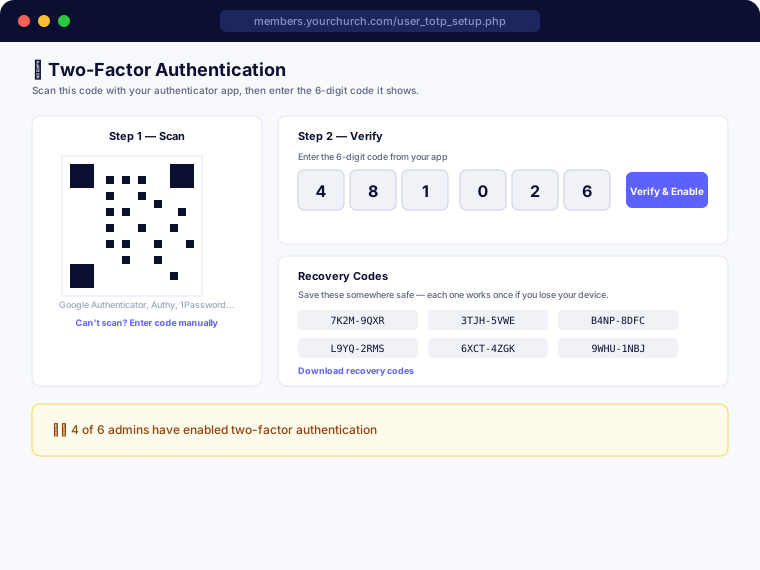
A complete, searchable directory of your congregation organized by family. Members can view contact information (with privacy controls), family photos, birthdays, and anniversaries. Admins manage membership status, roles, background checks, voting eligibility, and more.
- ✓ Searchable member and family directory
- ✓ Privacy settings per member (control what others see)
- ✓ Family groupings with head/spouse/child roles
- ✓ Member photos with upload and crop tools
- ✓ Birthdays and anniversaries displayed on dashboard
- ✓ Membership status tracking (Active, Watchcare, Inactive)
- ✓ Voting and deacon eligibility tracking
- ✓ Print or save the whole directory as a PDF, respecting each family's privacy settings
- ✓ Export your member list to a real, formatted Excel file — choose which fields to include
Background Checks
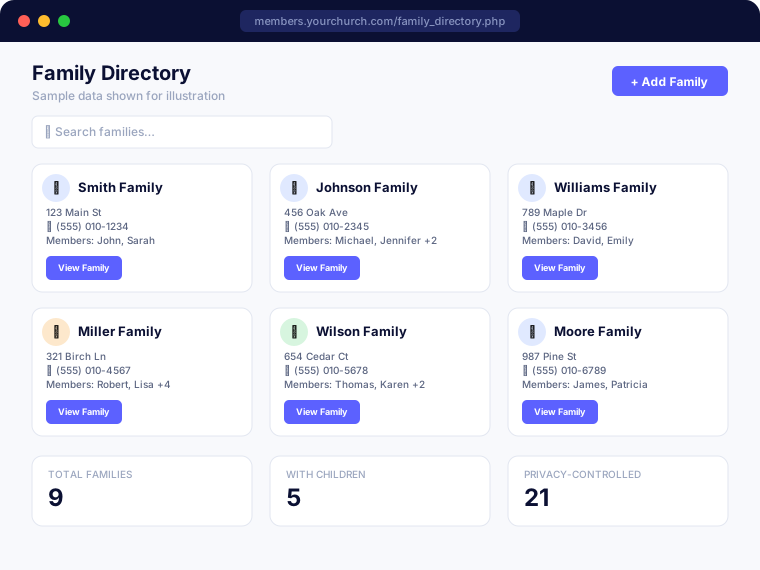
Order and track real background checks without leaving SanctuaryCMS. Connect your church's own account with a supported vendor, and ordering, status, and results flow back automatically — no more manually typing in a date after the fact. Define as many check types as your ministries need, so a van or bus driver gets a package with a motor vehicle record and a nursery volunteer gets a lighter one, right from the same screen.
- ✓ Connect your own Checkr account and order real background checks right from a member's record — no separate site to log into
- ✓ Pick the right check for the role — define as many check types as you need, like a package with a motor vehicle record for a van or bus driver versus a lighter one for a nursery volunteer
- ✓ Results come back automatically once the check completes — no more manually typing in a status or date after the fact
- ✓ MinistrySafe and Protect My Ministry support is in the works, so you can keep using whichever vendor your church already has a relationship with
- ✓ Never connected a vendor? Manual status tracking still works, with configurable renewal periods and automatic alerts for who's coming due
- ✓ SanctuaryCMS never sees or stores a Social Security number or the report itself — just a result status and a date
- ✓ Full order history for every person, plus export to a real, formatted Excel file
Multi-Language & International Support
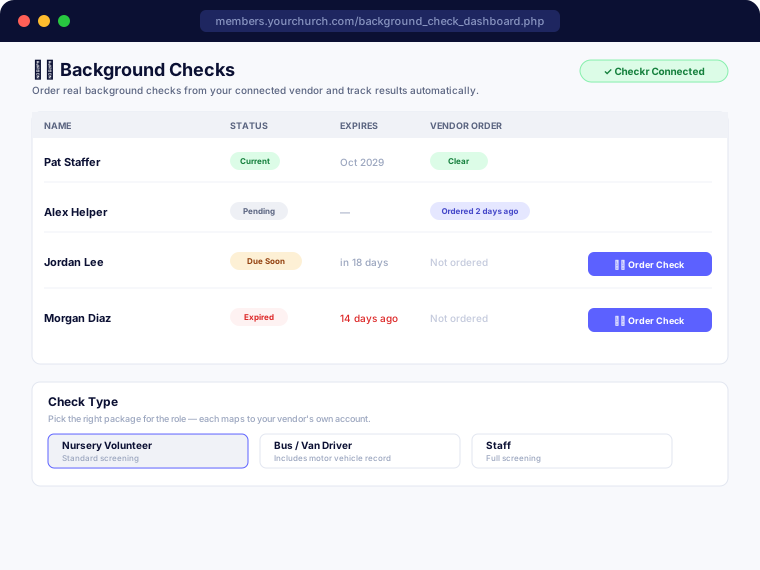
SanctuaryCMS runs in English or Spanish out of the box — every admin screen and every member portal page, not just a handful of labels around the edges. Address forms adapt to the country you select, with dedicated layouts for the US, Canada, New Zealand, and 19 Spanish-speaking countries across Latin America and Spain, and a flexible fallback for anywhere else — built for churches with a Spanish-speaking congregation, a mission connection abroad, or members who've moved from another country and want their own address to look right.
- ✓ Full English and Spanish translation across the entire admin system and member portal
- ✓ Dedicated address layouts for the US, Canada, New Zealand, and 19 Spanish-speaking countries — Mexico, Spain, and most of Latin America
- ✓ Phone number formatting that adapts automatically to the selected country
- ✓ Full worldwide timezone list, with one-click auto-detect
- ✓ Event location maps resolve accurately no matter which country the address is in
- ✓ Built on a translation system designed to support additional languages over time
Two-Factor Authentication
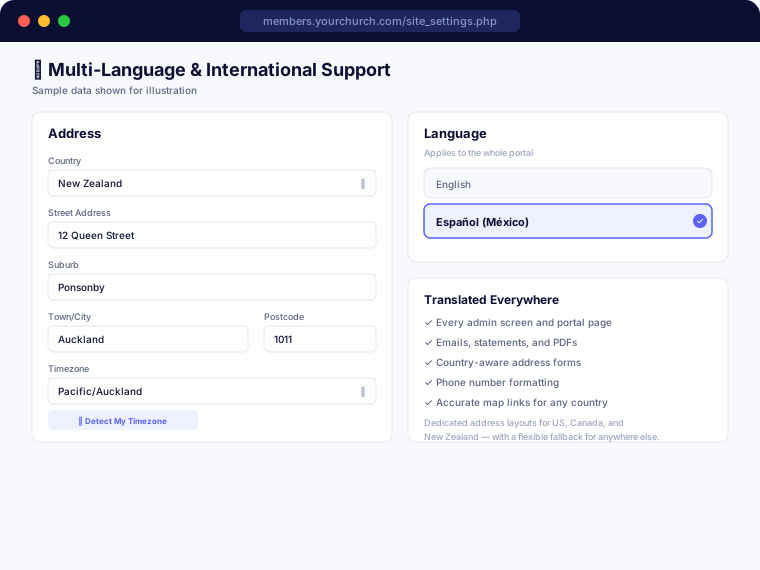
Your congregation's giving records, background check results, and family information deserve more than just a password. Any admin can add two-factor authentication to their account in a couple of minutes, using any standard authenticator app — no texts, no extra cost, nothing else to install.
- ✓ Works with any TOTP authenticator app — Google Authenticator, Authy, 1Password, and others
- ✓ Simple QR code setup — scan once and you're enrolled, no manual key entry
- ✓ One-time recovery codes generated at setup, in case you ever lose your device
- ✓ Each admin turns it on for their own account, on their own schedule — no disruption for anyone else
- ✓ Site Settings shows how many of your admins have enrolled, at a glance
- ✓ A friendly on-screen reminder appears for admins who haven't enrolled yet, once a target date is in place
Giving & Stewardship
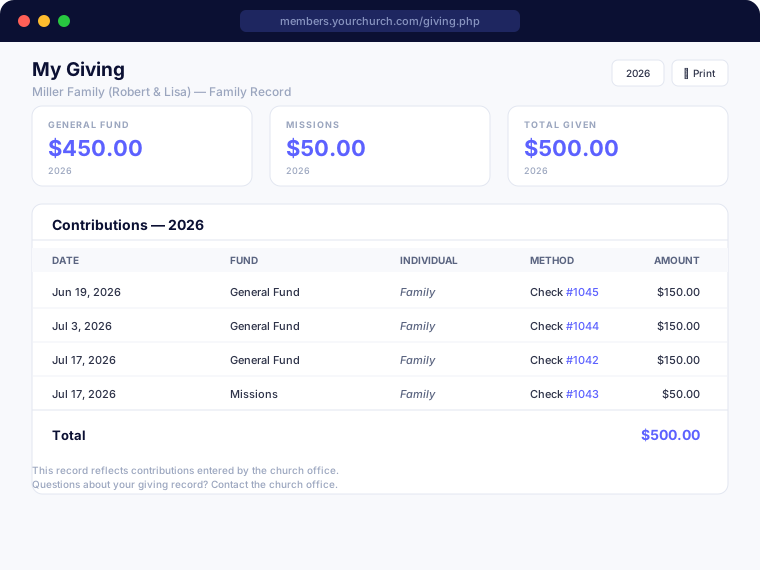
Track every contribution by family and fund, accept online giving directly through Tithe.ly, and automatically sync closed giving sessions into Xero, QuickBooks Online, or Aplos — or export a ready-to-import file for churches using Quicken instead. Manage giving sessions, print year-end statements, and give each member access to their own giving history through the portal. Run pledge and Faith Promise campaigns alongside your regular giving — pledges are matched automatically against real giving as it comes in, whether someone commits to a one-time gift or a weekly, monthly, or yearly amount, with the option to pledge anonymously.
- ✓ Online giving via Tithe.ly integration
- ✓ Automatic sync to Xero, QuickBooks Online, or Aplos accounting
- ✓ Export giving sessions to a Quicken-ready file, on your own schedule
- ✓ Multiple giving funds (General, Missions, Building, etc.)
- ✓ Weekly/special giving session management
- ✓ Anonymous and envelope giving support
- ✓ Pledge and Faith Promise campaign tracking, with fulfillment calculated automatically from real giving — no manual bookkeeping
- ✓ Pledge weekly, monthly, yearly, or as a one-time gift, with an automatic running total and an expected-to-date pace
- ✓ Anonymous pledges, for givers who'd rather their commitment not be tied to their name
- ✓ Year-end giving statements — print individually or email everyone at once
- ✓ Member giving history in their portal
- ✓ Cash, check, and other payment methods
- ✓ Export giving records to a real, formatted Excel file, filterable by date range and fund
Church Accounting (Beta)
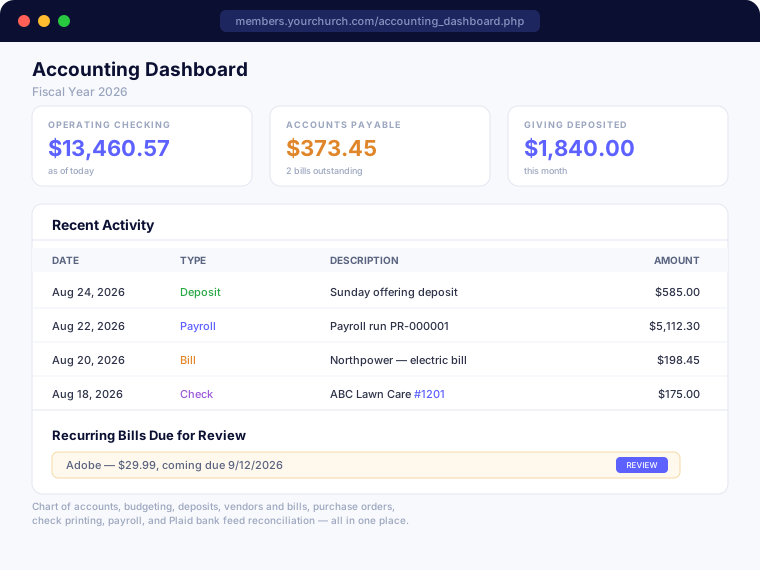
A full, church-specific double-entry accounting system built around fund accounting — General, Missions, Building, or however you organize it — instead of a generic business chart of accounts bolted on afterward. Deposits connect directly to the giving records you've already entered, so nothing gets typed in twice. Every dollar traces back to a real journal entry, permanently — nothing is ever silently deleted, only voided or edited with a full record of who changed what and when.
- ✓ Fund-based chart of accounts with parent/child categories and budgeting, including a monthly breakdown option
- ✓ Move money between funds with fund transfers, one-time or recurring, fully reflected in every report
- ✓ Deposits built directly from your existing giving records — select what's undeposited, post one journal entry
- ✓ Vendors, bills, and accounts payable, with recurring bill templates you review and confirm before anything posts
- ✓ Purchase orders for a pre-approval paper trail, converting straight into a bill when the real purchase happens
- ✓ Check printing with a configurable layout per bank account, so it prints correctly onto your own check stock
- ✓ Payroll built around gross pay, a minister/housing-allowance designation, and church-defined earning and deduction lines — with an optional US withholding calculator for churches that want it
- ✓ Plaid bank feed reconciliation, with automatic matching and a manual fallback for anything it can't confidently resolve on its own
- ✓ Standard nonprofit financial reports — Statement of Activities, Fund Balances, Budget vs. Actual, General Ledger, AP Aging, and 1099 Summary
- ✓ Full edit history on every entry — deposits, bills, payments, purchase orders, budgets, and payroll all show who changed what and when, right alongside the record
Events Manager
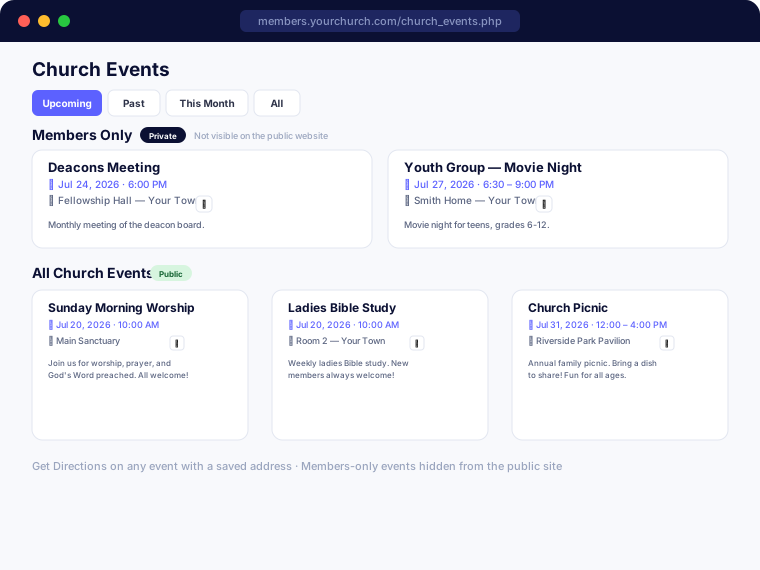
Create and manage church events with full detail — location, times, descriptions, and member-only options. Members see upcoming events in their portal calendar.
- ✓ Create events with full details and location
- ✓ Members-only vs public event options
- ✓ Upcoming events on member dashboard
- ✓ Event descriptions and location maps
- ✓ Subscribe to a calendar feed or add any event to Google/Apple/Outlook calendars
- ✓ Admin management from anywhere
Missions Manager
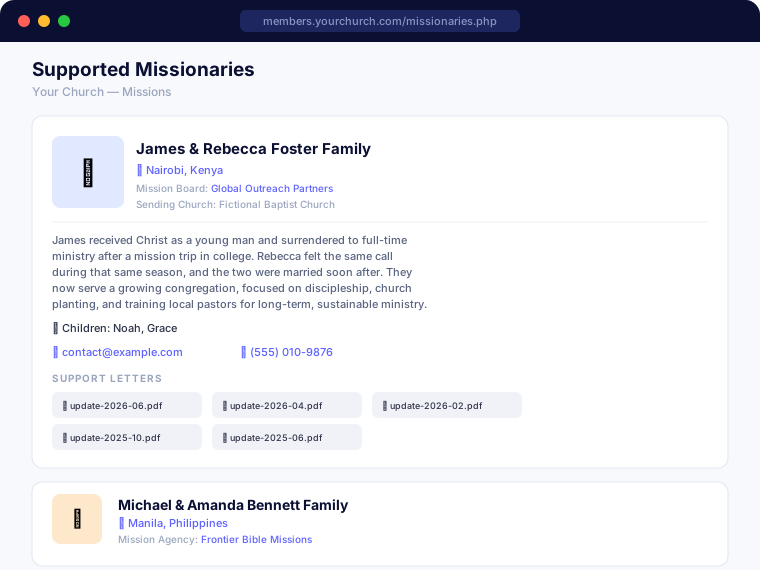
Maintain complete profiles for each missionary your church supports. Upload support letters as PDFs, track mission agencies and regions, and give your congregation a window into your church's global ministry.
- ✓ Missionary profiles with photos
- ✓ Region and mission agency tracking
- ✓ Support letter PDF uploads by date
- ✓ Member-facing missionary page
- ✓ Contact information and prayer updates
- ✓ Sort order control
Prayer Requests
A secure, member-only prayer request system that lets your congregation share needs and celebrate answered prayers. Anonymous submission option available.
- ✓ Members submit prayer requests from portal
- ✓ Anonymous submission option
- ✓ Active, answered, and removed status
- ✓ Admin moderation
- ✓ Email notifications to subscribed members
- ✓ Prayer request dashboard for pastors
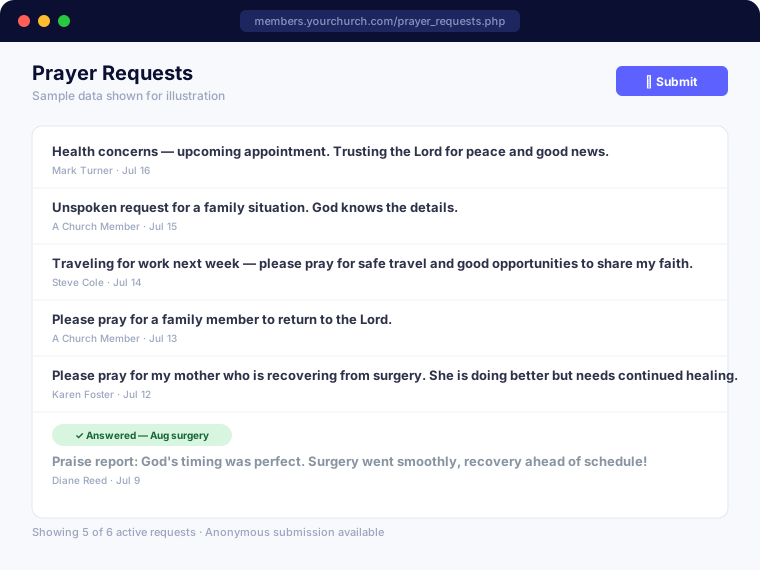
Digital Bulletins
Upload your church bulletins as PDFs and they're instantly available to every member through the portal — organized by date, always accessible.
- ✓ PDF bulletin uploads by date
- ✓ Automatic date-based organization
- ✓ Members access from any device
- ✓ No app download required
- ✓ Simple upload interface for admins
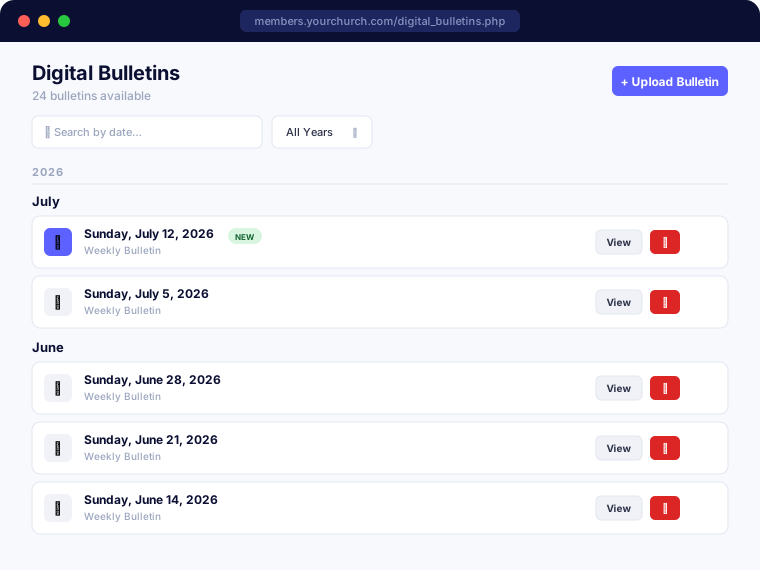
Children's Classes Check-In
Secure check-in and check-out for nursery through 5th grade, with self-serve kiosks so parents can check their own kids in — no staff member required at the door.
- ✓ Self-serve kiosk mode for parent check-in, with staff-only PIN to exit
- ✓ Matching guardian pickup codes, plus a scannable QR code on every printed sticker
- ✓ Class rosters — workers can only check out children on their own roster
- ✓ Optional printed tags for churches with a receipt/label printer
- ✓ Visitor children supported — no need to be a member first
- ✓ Built-in safety protections on the self-serve kiosk against repeated lookup attempts
- ✓ Worker assignments by date, with member-facing schedule view
- ✓ Live roster of who's currently checked in
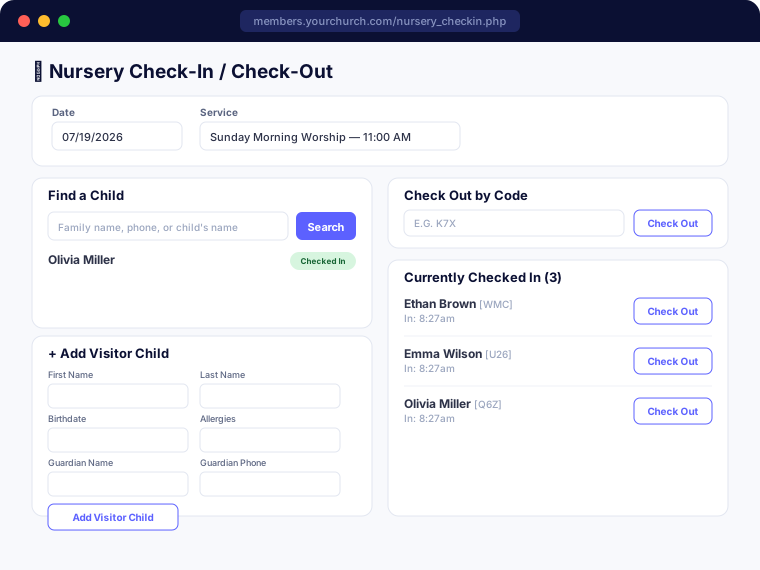
Email Broadcasting
Send formatted emails to your entire congregation or specific groups directly from the portal. Track opens and delivery.
- ✓ Send to all members or specific groups
- ✓ Open rate tracking
- ✓ Rich text email composer
- ✓ Email activity log
- ✓ Unsubscribe handling
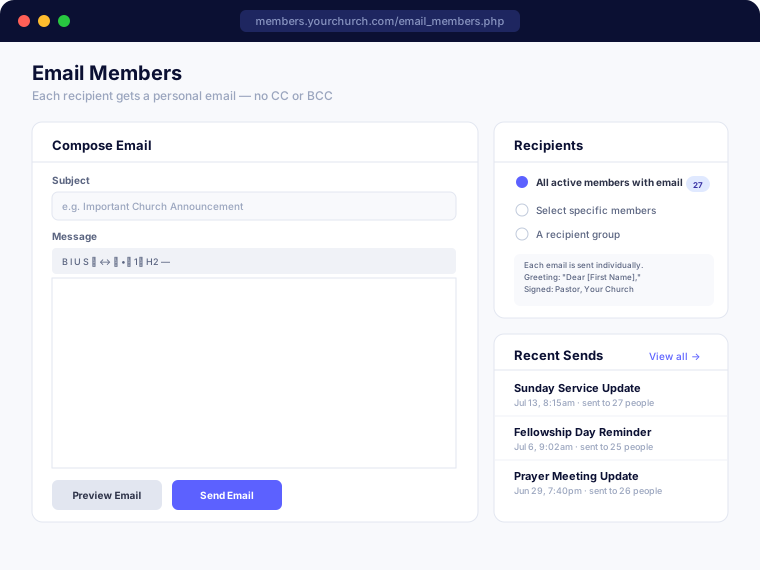
Attendance Tracking
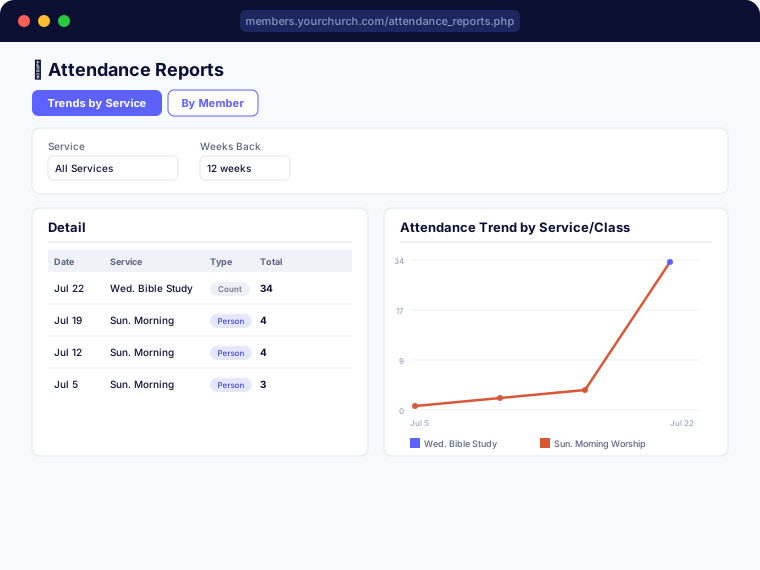
Take attendance for any service, Sunday School class, or small group — individual check-in for classes with a roster, or a quick headcount for larger gatherings. See trends over time and spot members who may need a follow-up.
- ✓ Per-person check-in or simple headcount tracking, your choice per class
- ✓ Optional class rosters with an assigned teacher/leader
- ✓ Walk-in visitor check-in, no member record required
- ✓ Combined totals when several classes meet at the same time
- ✓ Attendance trend charts by service or class
- ✓ Class leaders can take attendance and view reports for their own class without needing full admin access
- ✓ Export attendance records to a real, formatted Excel file, filterable by date range and service
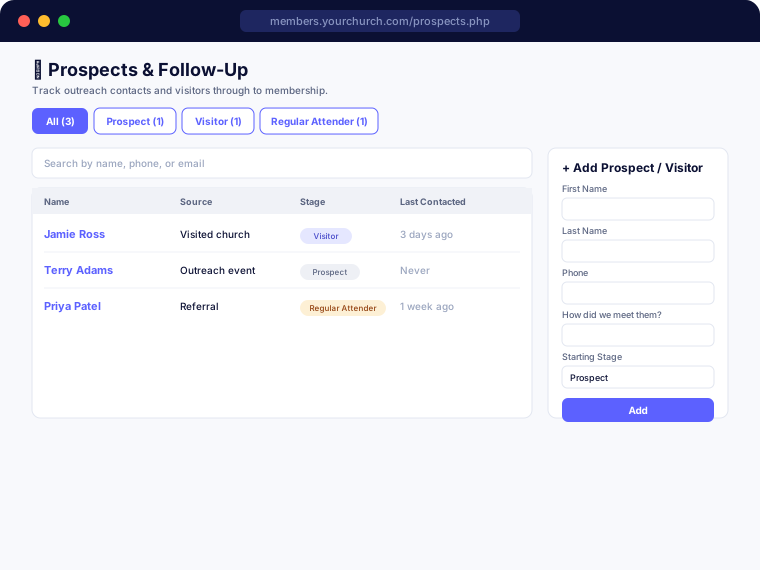
Prospects & Follow-Up
Track outreach contacts and visitors all the way through to membership — one record follows a person from a first contact at an outreach event, through visiting and attending regularly, to eventually joining. Set up a Follow-Up Pathway once — what should happen, and how many days after someone enters each stage — and SanctuaryCMS keeps every assigned follow-up person on track automatically, with a personal queue of exactly what's due.
- ✓ Pipeline stages from first contact through to Member
- ✓ Build a Follow-Up Pathway — define what should happen at each stage and how many days after someone enters it, like a call two days after a first visit
- ✓ A personal My Follow-Ups queue for every assigned follow-up person — see what's overdue, due today, or coming up, with one click to mark done or reassign
- ✓ A stale-contact nudge catches anyone who's gone quiet, even outside your defined Pathway steps
- ✓ Activity log for calls, visits, emails, and notes
- ✓ Walk-in visitors from Attendance check-in add to the pipeline in one click
- ✓ Follow-up tasks plug right into Automated Reminders, so they can go out by email — or text, once connected — the same way every other reminder does
- ✓ Link a contact to their new member profile once they join
- ✓ Export the pipeline to a real, formatted Excel file, filterable by stage
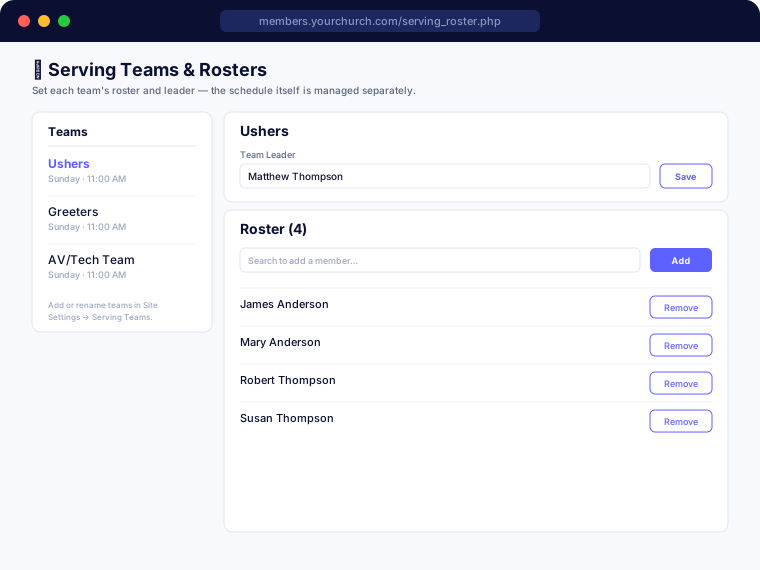
Serving Teams & Volunteer Scheduling
Schedule volunteers for any ministry team — ushers, greeters, AV/tech, worship, and more — with each team's own roster and leader, not just a single sign-up sheet.
- ✓ A roster and leader for every team, not just one global volunteer list
- ✓ Team leaders can manage their own schedule without needing admin access
- ✓ Monthly calendar scheduling, plus one-time needs for special events
- ✓ Email the month's schedule to everyone assigned in one click
- ✓ Volunteers see all their upcoming duties across every team in one place
- ✓ Export team rosters to a real, formatted Excel file
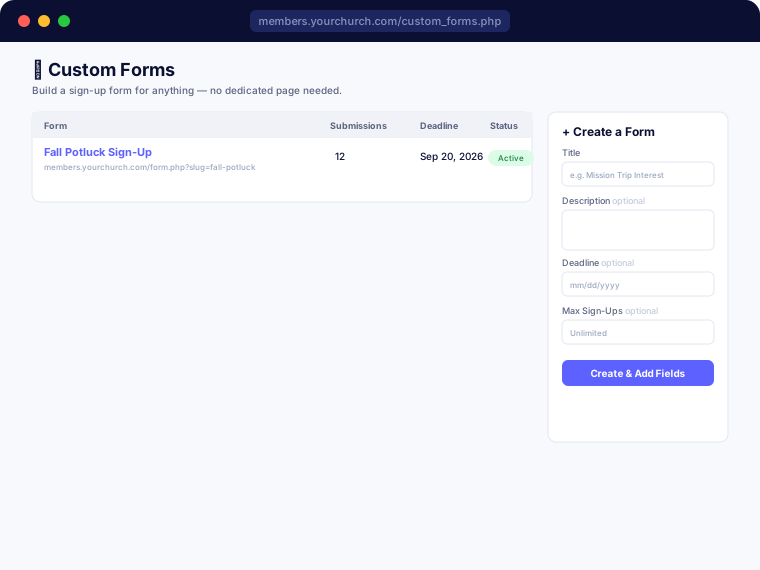
Custom Sign-Up Forms
Build a sign-up form for anything — a potluck, a mission trip, a volunteer interest form — without needing a developer or a dedicated page built for it. Each form gets its own shareable link, and opens right on the page when someone clicks Sign Up.
- ✓ Any combination of fields — text, email, phone, dropdown, checkboxes, numbers, dates
- ✓ Public forms anyone can fill out, or Members Only with portal login required
- ✓ Link a form directly to a Church Event — a Sign Up button appears there automatically
- ✓ Optional deadline and max sign-up limits, closing the form on their own
- ✓ Instant email notification on every new submission, plus export to a real, formatted Excel file
- ✓ Downloadable QR code for every form, ready to print on a flyer or bulletin
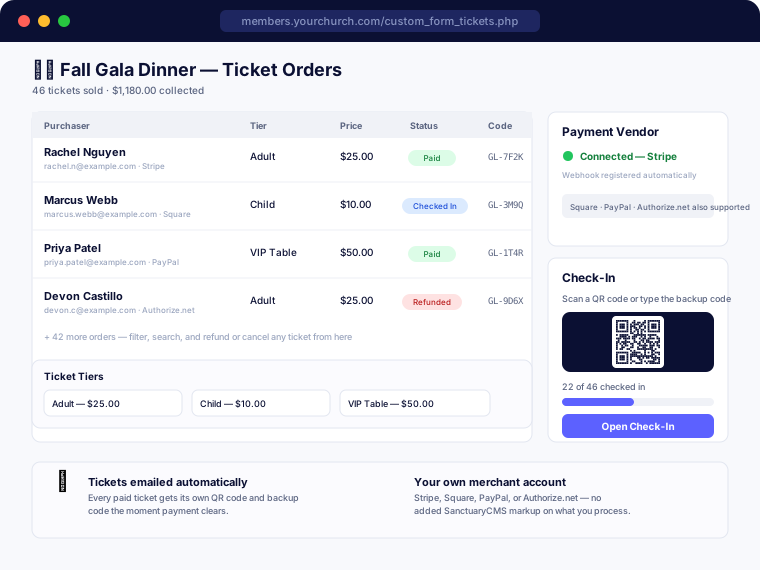
Paid Event Registration & Ticketing
Turn any Custom Sign-Up Form into paid-ticket registration with one toggle — no separate ticketing system to buy or learn. Set up as many ticket tiers as your event needs, connect your church's own Stripe, Square, PayPal, or Authorize.net account, and SanctuaryCMS handles secure checkout, emailed QR tickets, check-in, and refunds automatically from there.
- ✓ Turn any Custom Sign-Up Form into ticketed registration with one toggle — the same form builder you already use
- ✓ Unlimited ticket tiers per event — Adult/Child, Early Bird/Regular, VIP, or anything else — each with its own label, price, and optional capacity, reordered by drag-and-drop
- ✓ Connect your church's own Stripe, Square, PayPal, or Authorize.net account — SanctuaryCMS registers the payment webhook automatically, so there's nothing to copy by hand beyond your account's own API keys
- ✓ Checkout happens on your payment provider's own secure, hosted page — card details are never entered into or stored on SanctuaryCMS
- ✓ Connects to your church's own merchant account, so there's no added SanctuaryCMS markup on top of whatever your processor already charges
- ✓ Every paid ticket gets its own QR code and backup code, emailed automatically the moment payment clears
- ✓ Built-in check-in — scan a ticket's QR code or type the backup code from any phone or tablet, with a live roster of who's arrived
- ✓ Configurable refund policy per form — refunds off, staff-only, or self-serve with an optional cutoff before the event
- ✓ Members can view and self-cancel their own tickets (when the form allows it) right from their portal, no email required
- ✓ Full order and ticket history for every event, with real payment-vendor refunds issued right from the order screen
Automated Reminders
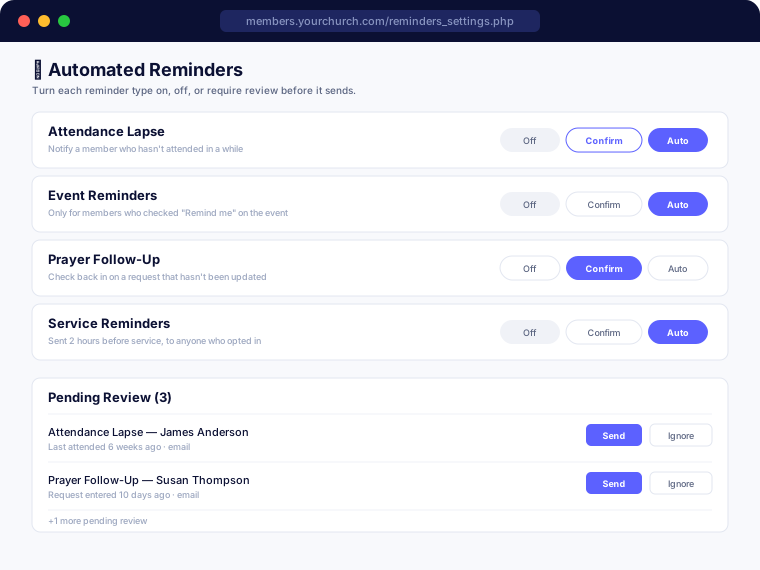
Never let a lapsed attender or an unanswered prayer request quietly fall through the cracks. SanctuaryCMS can automatically notice when a follow-up is due and send it by email — you decide, per reminder type, whether it goes out on its own, waits for your review first, or stays off entirely.
- ✓ Four reminder types: attendance lapse, event, prayer follow-up, and service reminders
- ✓ Independent on/off setting per type, plus a review-and-approve mode if you'd rather see it before it sends
- ✓ Event and service reminders are opt-in — members choose which ones they want
- ✓ Everyone picks their own timing per reminder too — anywhere from 15 minutes to a week ahead, set per service or event instead of one church-wide setting for everybody
- ✓ Prayer follow-up reminders keep a request from being quietly forgotten
- ✓ Non-members can sign up for service reminders too, no portal login required, with the same choice of timing
- ✓ Sent by email, or by text too once you've connected Text Notifications
Text Notifications (SMS)
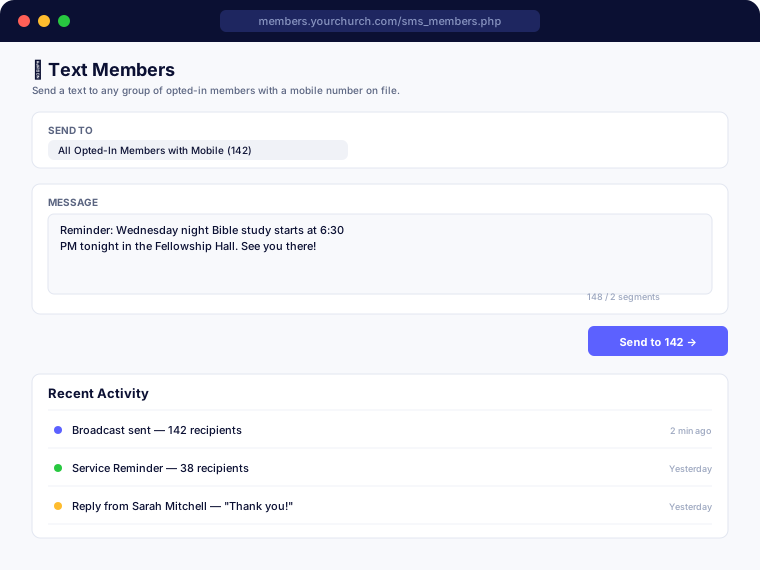
Reach your congregation by text, not just email — broadcast messages, check-in codes, reminders, and mid-service parent alerts, all sent from your own church's number. Texting connects through your own Twilio account, so usage stays billed directly to you at Twilio's own rates, and a guided setup wizard walks you through the one-time carrier registration texting requires.
- ✓ Text Members broadcast to your whole congregation or any group — the same recipient groups as Email Broadcasting
- ✓ Check-in confirmation codes and Automated Reminders can go out by text as well as email
- ✓ "Alert Parent" — a children's classes worker can text a guardian directly from the roster if something comes up during service
- ✓ Members can text back, and staff sees every reply in the portal with a one-click box to respond
- ✓ International texting support, starting with New Zealand, with more countries planned
- ✓ Connects to your own Twilio account — you pay Twilio directly for what you send, typically a small fraction of a cent to a few cents per message depending on your country, so there's never a markup added on top of your subscription
- ✓ A guided setup wizard walks you through the one-time carrier registration texting requires, auto-filling your church's details where it can — approval timing is set by the carriers, not us
- ✓ Full English and Spanish support
Worship / Service Planning
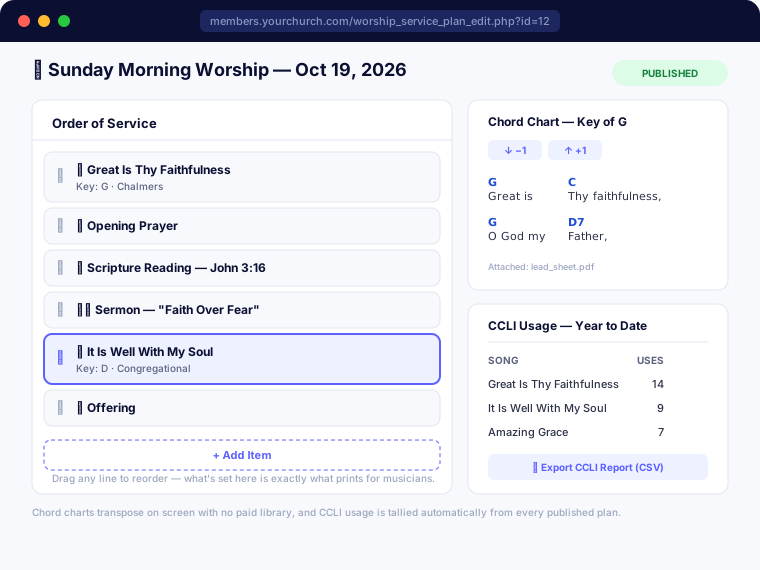
Build your order of service with drag-and-drop simplicity, keep a full library of your congregation's songs with ChordPro-style chord charts that transpose on screen, and track CCLI usage automatically as you go — no spreadsheet, no separate app, and no retyping a song's details if you already catalog it in Church Resources' Music Library.
- ✓ Song library with writer/artist credit, CCLI Song Number, default key, tempo, and tags
- ✓ ChordPro-style chord charts with one-click on-screen transposition — no paid charting library required
- ✓ Drag-and-drop order-of-service builder — songs, scripture, sermon, announcements, offering, and prayer, in any order
- ✓ Attach lead sheets, vocal parts, or reference audio to any song through the Document Store
- ✓ A clean print / musician view of the full order of service, with each song's key and any note included
- ✓ Optional link to an Attendance service or Serving Team for a plan — never required, so it works with or without those modules turned on
- ✓ CCLI usage tracking by date range, with a one-click CSV export shaped for CCLI's own manual reporting form
- ✓ Automatic two-way sync with the Church Resources Music Library, so a song's title, writer, and key only have to be entered once
Church Resources
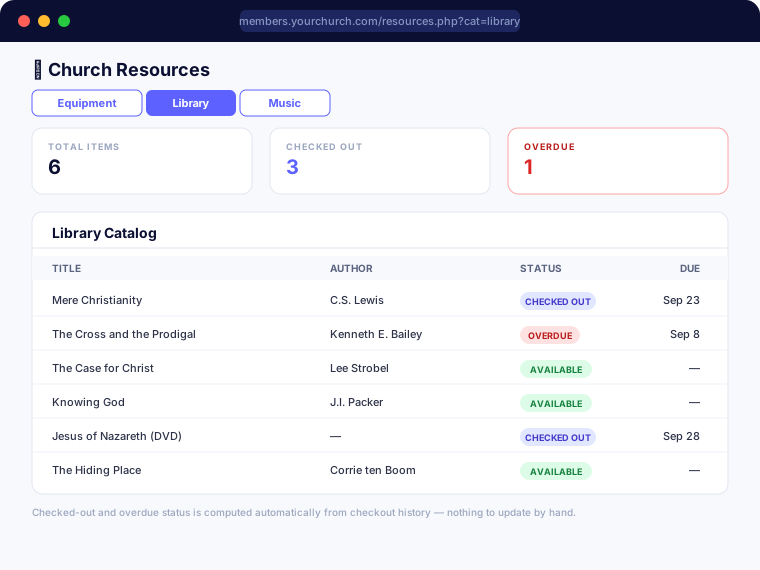
Keep track of everything the church owns and loans out — sound equipment and AV gear, your church library, and your music or choir library — all in one place. Equipment records carry cost, current value, and where it's stored. Library items can be checked out to a member with a due date, and SanctuaryCMS keeps track of who has what, what's overdue, and how many times something's been borrowed — automatically, with nothing to update by hand. Music Library entries carry the details a choir director actually needs, right down to the copies you have on the shelf — and link straight into Worship Planning's song library, so the same song never has to be typed in twice.
- ✓ One toggleable module covering Equipment, Library, and Music — turn on just what your church uses
- ✓ Equipment tracking: cost, current value, location, manufacturer, model, and serial number
- ✓ Library checkout and return, with due dates and an overdue list — no more remembering who borrowed what
- ✓ Times-borrowed and last-borrowed-date shown automatically for every library item, computed live from checkout history
- ✓ Music Library fields built for a choir director — composer, arranger, voicing, accompaniment, key, difficulty, and copies in stock
- ✓ Catalog and reference numbers for anything you already number and shelve
- ✓ Link a Music Library item to a Worship Planning song and its title, writer, and key stay in sync automatically from here on
- ✓ Export any of the three catalogs to a real, formatted Excel file
Room Reservations & Scheduling
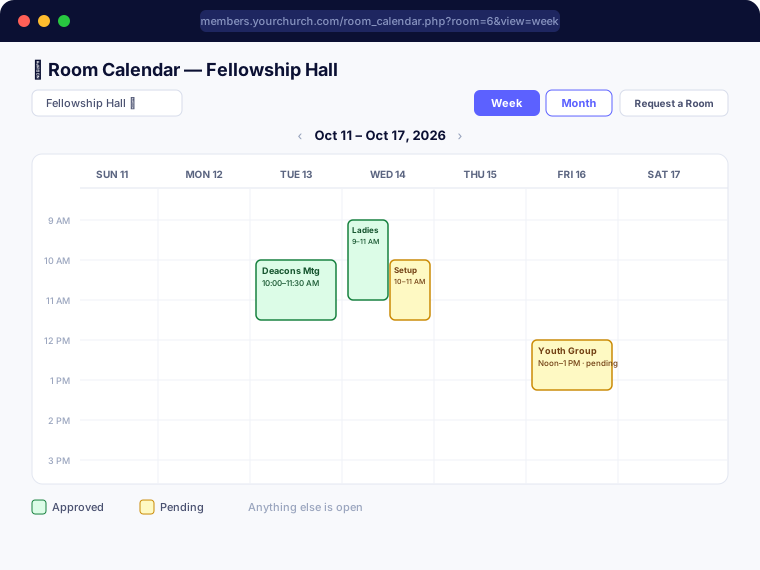
Keep every room in the building booked without double-booking it. A member requests a room for a meeting or event, and the right people approve it — set your own approvers per room, or lean on the automatic fallback to any admin if you haven't assigned any. A conflicting request is caught automatically, and a calendar lets anyone flip through a room's schedule by month or week to see exactly what's open at a glance.
- ✓ Per-room approvers, with automatic fallback to any admin when none are assigned
- ✓ Instant approval when the requester is themselves an eligible approver for that room
- ✓ Automatic conflict detection — a double-booked room is caught before it's approved, not after
- ✓ Reserve a room right from event creation, with its own setup/teardown window independent of the event's public start and end time
- ✓ Month and week calendar views, room by room, showing open vs. reserved time at a glance
- ✓ Overlapping requests shown side-by-side on the calendar — never hidden behind each other
- ✓ Dashboard banner for anyone with a pending approval waiting on them
- ✓ Full English and Spanish support
Visitation Log
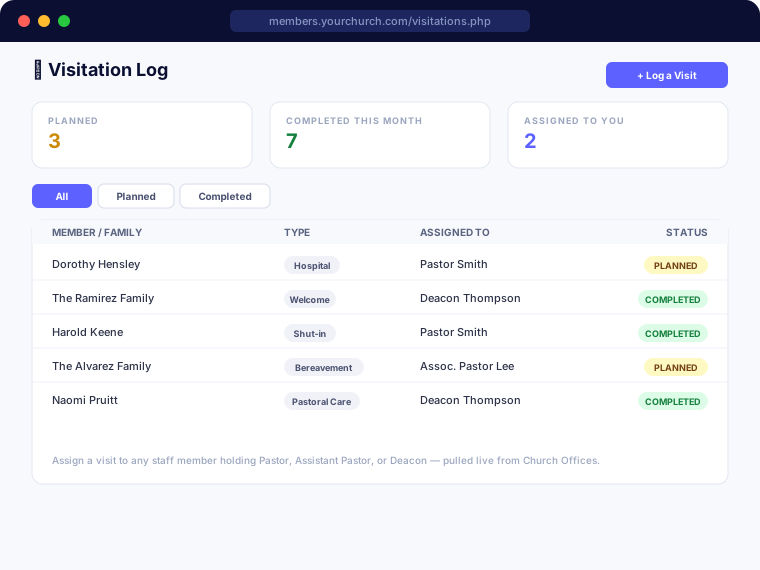
A dedicated log for pastoral care visits — hospital, shut-in, bereavement, welcome, and more — kept separate from your general outreach pipeline so pastoral care never gets lost among first-time visitor follow-up. Plan a visit ahead of time or log one after the fact, and assign it to whichever pastor or deacon is making the call.
- ✓ Log a visit against a family or an individual member
- ✓ Six visit types: Hospital, Shut-in, Bereavement, Welcome, Pastoral Care, and Other
- ✓ Plan a visit ahead of time or log one after it happens, with one-click Mark Complete
- ✓ Assign visits to any staff member holding a Pastor, Assistant/Associate Pastor, or Deacon office — pulled live from your own Church Offices list, not a fixed role
- ✓ Restricted to pastoral staff automatically — a non-admin deacon sees it in their own portal nav without needing full admin access
- ✓ Filter the log by status to see what's still planned versus already done
Document Store
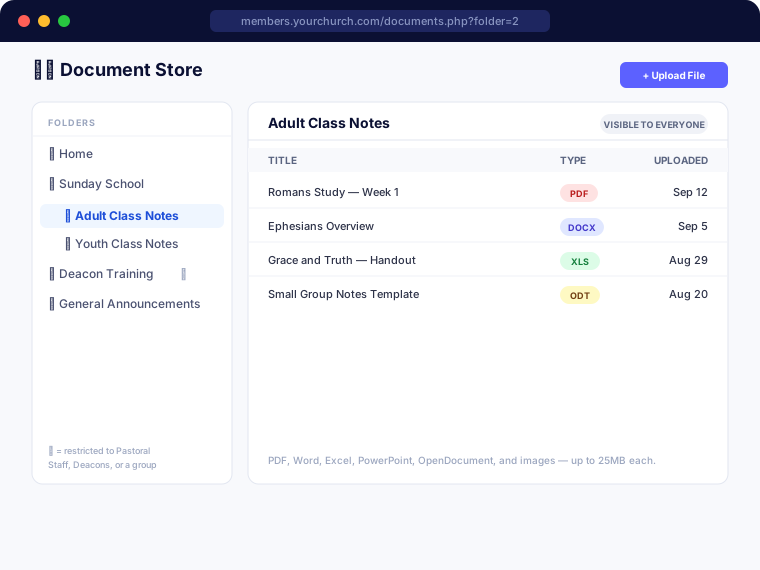
An internal file library for anything your staff or congregation needs on hand — study notes, policies, training materials, forms — organized in nested folders, cPanel-style, so you can structure it however makes sense for your church. Restrict a folder to exactly who should see it: everyone, your pastoral staff, your deacons, or any of your existing Email/Text Members groups.
- ✓ Nested folders, as deep as you need them, added and organized right from the admin side — no separate file manager to learn
- ✓ Per-folder visibility — leave a folder open to everyone, or restrict it to Pastoral Staff, Deacons, one or more Email/Text Members groups, or any combination
- ✓ Pastoral Staff and Deacons visibility pulls live from your Church Offices list, the same as Visitation Log — no separate group to maintain
- ✓ Accepts PDF, Word, Excel, PowerPoint, OpenDocument, and image files, up to 25MB each
- ✓ Every download is re-checked against the current viewer's access on the spot — never just trusting what the page showed a minute ago
- ✓ Files are stored under randomized names on disk, never the original filename, with the whole storage folder locked down against direct access
Export Everything, Anytime
Beyond each module's own Excel export, Site Settings has a one-click bulk export — pick any combination of members, giving, attendance, background checks, prospects, serving teams, and custom form submissions, and download it all as one .zip of ready-to-open Excel files.
Social Media Content Hub
Create on-brand graphics and ready-to-post captions for any upcoming event — no design skills or extra software needed. Post it yourself to Facebook, Instagram, or wherever your church shares.